NOTE – this website has nothing to do with HP and is only a description of my individual service problem.
25/10/2026
I was offered a new computer yesterday. It’s a very kind gesture, which I appreciate, but I have to pay the £100 price difference. Furthermore, the model it’s replacing doesn’t support 2560 resolution, which is very important to me (graphics).
I replied that I’d like a version I can accept.
Silence.
12/10/2026
A few days ago, I received a request to send a copy of the invoice. I sent it and am waiting for further action.
26/09/26
Check this out (speaker required)
24/09/2026
The computer returned. The keyboard wasn’t replaced, but the problem persisted. The computer returned from service with its left side down, and its right side up.
„Thank you, HP Service.”
I’m initiating procedures to contact the US directly. I’ve had enough!
22/09/2026
The computer has been in the shop again for a few days. I’ve received a ton of questions about my problem, including everything but my description.
I’m waiting for information. Mine, regarding a possibly damaged palmrest (that’s what it’s called, is not being considered). I don’t understand why.
07/09/2026
Response from the seller (Currys). Refusal to replace the device or refund. Another repair was offered.
And that’s probably it. I’ve had enough.
Unfortunately, I will never buy an HP product again.
I think you should think twice before buying, as you may have similar problems to mine.
I’m at a loss. I’ve had enough. I’m sending a description of the situation to HP headquarters
1501 Page Mill Road
Palo Alto, CA 94304
USA
and I’m done.
LAST UPDATED – 3/09/2026
Unfortunately, everything has failed me. Even dedicated support, despite their commitment, still directs me to service, which, as you’ll read in the description below, I’ve used twice. I’ve had enough! I’ll never buy an HP product again!
29/08/2026
I asked the HP community for help, hoping that something could be done about it.
Upgrade (27-08-2026) The computer was returned to me. The fault WAS NOT FIXED, and the repair description LIED that the keyboard had been replaced!!!
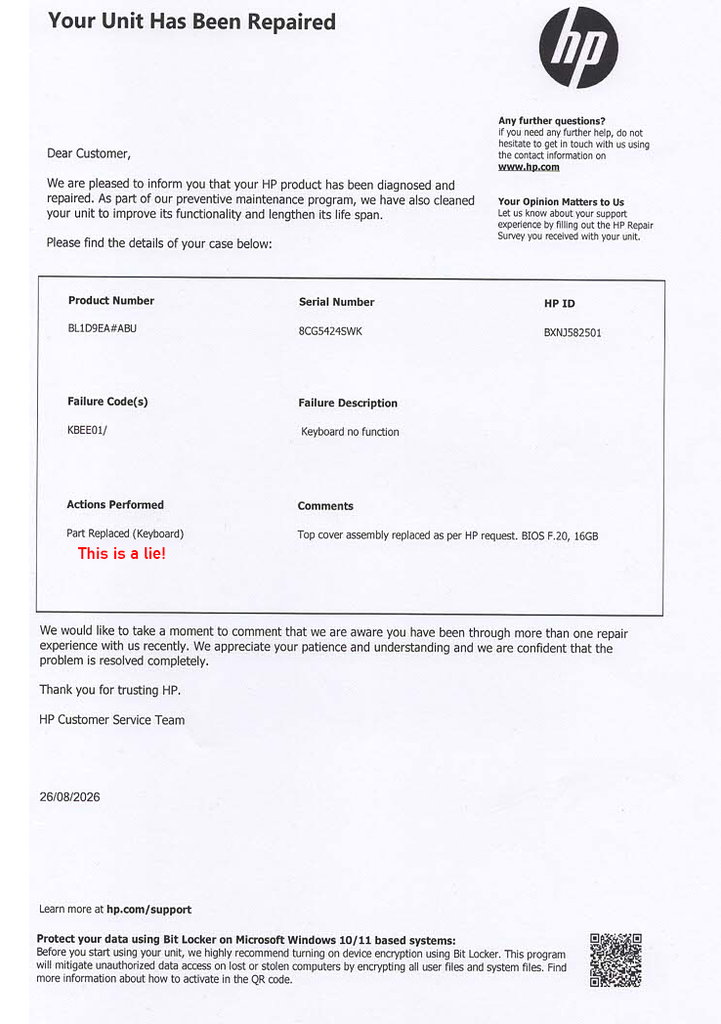
Upgrade (26-08-2026): It’s been over two months since I sent it in for service.
Yesterday I learned it would take another two weeks. So I’m starting the process of exchanging it for a new computer or getting a refund.
A Word of Warning.
At this time, I am not publishing the name of the service that handled my case.
Description
The computer in question is an HP OmniBook X Flip 16”.
Product number: BL1D9E ABU
Purchased from Currys on April 24, 2026.
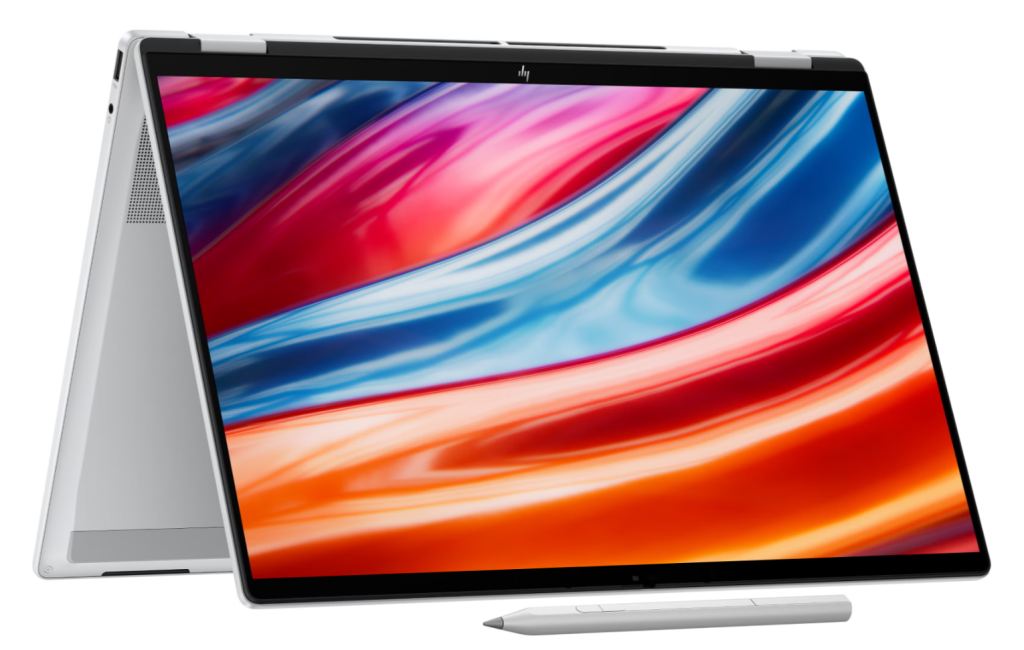
It is a very good computer for someone who needs a laptop and a tablet in one device. In tablet mode, it is a bit bulky, but you can get used to it. This is especially true if you also use it as a graphic designer.
The components are solid. Even though they are not meant for gaming, they meet all the expectations of a graphic designer and photographer—which is exactly what I do.
So, what is the issue then?
Some time after the purchase, I started noticing that a section of the keyboard was beginning to sink. I could also feel a distinctly warmer area right under my fingers.
I noticed the first symptoms just three weeks after buying it, initially feeling the heat.
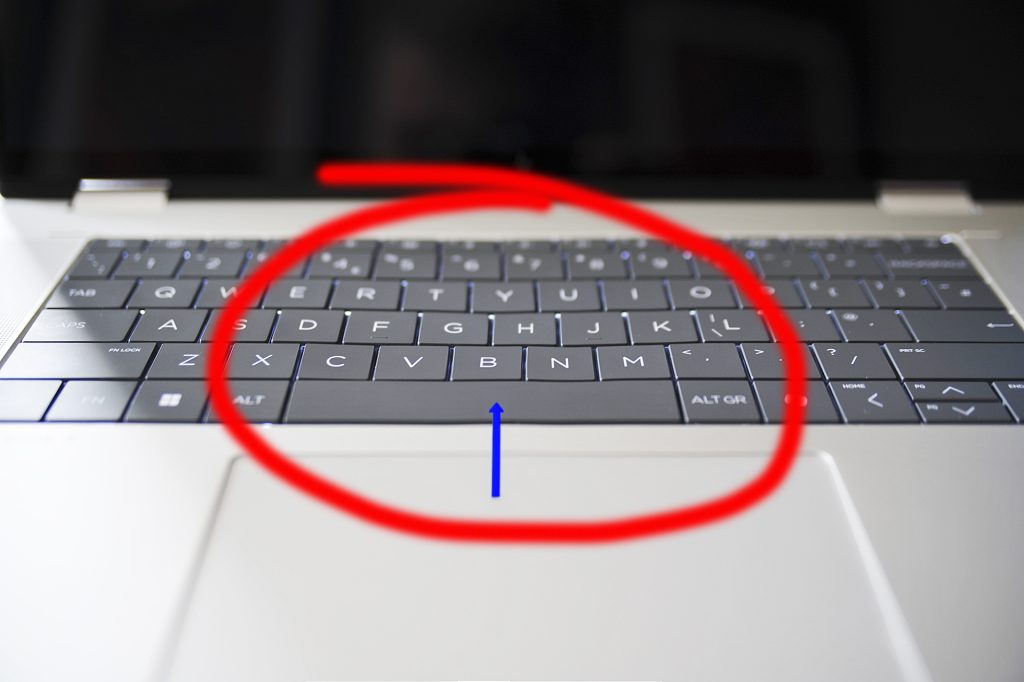
After about two months, the keyboard is clearly damaged, and the keys highlighted in the picture below have sunk.
A photo of my unit.
I decided to contact the customer service, which was no easy task.
The HP software allows you to report an issue, but despite filling out the form, no one reached out to me for the next 10 days.
So, I decided to contact them via live chat instead. My warranty claim was accepted there, and a week ago (today is 17.07.2026), a courier picked up the device.
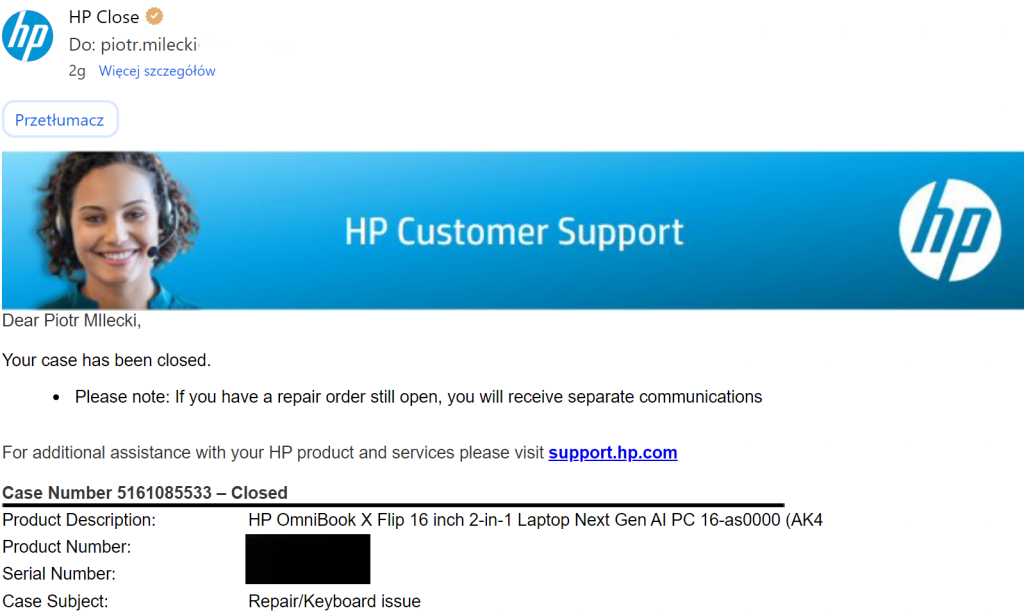
A few days later, the service center asked me another question to clarify what the issue was. I explained and described the problem once again… only to receive the equipment back a few days later, which happens to be today (17.07.2026).
As you might guess, the service center found no fault.
I received a checklist of tested components and software, but absolutely no mention of repairing my actual problem.
So, I tried to find a solution online. Naturally, I stumbled upon several similar issues.
I then asked an AI how widespread this problem is, and I received a detailed analysis.
As it turns out, this is a frequent defect that specifically affects this model. How is it possible that the service center did not know this was a common issue?
Take a look at how the AI interpreted my query:
User: “A collapsing keyboard in an HP laptop.”
Assistant: A collapsing keyboard in HP laptops is a fairly common mechanical issue, usually caused by loosened clips, a bent support plate under the keyboard, or worn scissor mechanisms under the keys. In thin HP models (Pavilion, Envy, OmniBook X, some ProBooks), this happens more often.
Common causes include:
- loosened clips,
- bent aluminium plate under the keyboard,
- worn scissor mechanisms,
- deformed palmrest,
- loose screws underneath.
Diagnosis steps:
- run your finger across the keyboard to see if it “floats”,
- press the centre to check for movement,
- test individual keys,
- try pressing the keyboard frame to see if it clicks back.
Fix options:
- temporary: press the keyboard back into place, adjust individual key mechanisms, tighten screws,
- permanent: replace the keyboard (£20–£40) or palmrest (£40–£80), usually a 30–60 minute job.
User: “Omnibook X 16”” Translation: “OmniBook X 16”.”
Assistant: The HP OmniBook X 16” uses a “top‑case bonded” keyboard — it is glued to the palmrest, not clipped in. This means that if the keyboard starts sinking or flexing, it cannot be fixed by simply pressing it back. This model is known for this issue.
The keyboard is thin, flexible, glued, and supported only in a few places. The middle area tends to sink because underneath it there is the battery and empty space.
Diagnosis:
- if the whole middle area flexes → normal for this model or adhesive failure,
- if individual keys sink → scissor mechanism damage.
Fix options:
- temporary: pressing the keyboard won’t help, only individual key adjustment,
- permanent: replace the entire palmrest with keyboard (£80–£120, 45–90 minutes).
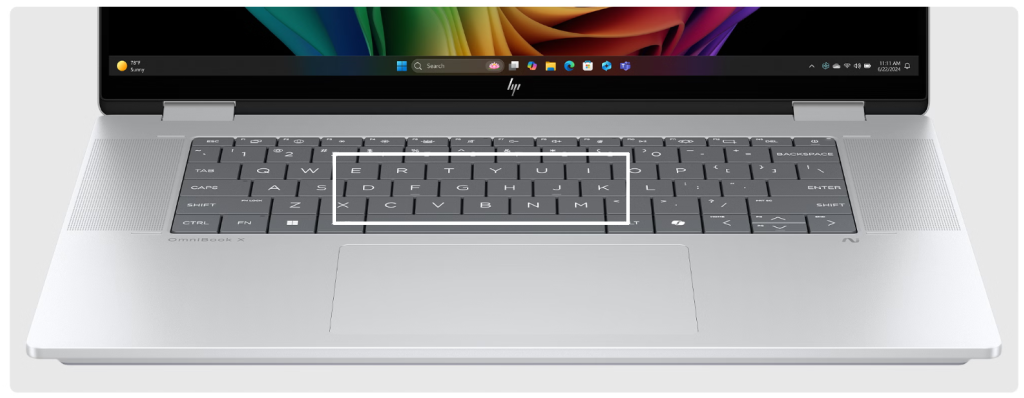
User: “Klawisze dfghjktv są niżej niż inne” Translation: “The DF GH JK TV keys are lower than the others.”
Assistant: These keys are located in the central strip of the keyboard — the weakest structural area in the OmniBook X 16”. If they sit noticeably lower, it almost certainly means the adhesive under the middle section has detached.
Two likely causes:
- Adhesive failure under the centre of the keyboard — the most common issue.
- Slightly bent palmrest — possible if the laptop was pressed or twisted.
Tests:
- press from underneath the centre: if keys rise → adhesive failure,
- place a card across the keys: if the middle is lower → adhesive failure,
- compare key click feel: softer click → keyboard is hanging.
Fix:
- temporary pressing may help only briefly.
In short, as I mentioned above, the problem is widely known—just unfortunately not to my service center.
Therefore, I have decided that I will not let this go, and the matter will enter a new phase.
I will start by formally requesting the service center to attempt the repair once more.
If there is no response, I will seek an independent expert opinion and take further steps.
Final thought: To be honest, I do not understand what the problem is. This repair takes 2 hours and costs around £40–£80.
Evading responsibility for purchased equipment that is under warranty is the worst possible „solution.”